Happy 2026! We’re kicking off the year with a focus on one of Metaimpact’s deepest design principles: Structure is what makes scale possible.
To support your growing efforts, we’ve rolled out a suite of tools designed to turn your scattered files into a living knowledge system, consolidate your communication, and get you the answers you need faster than ever.
📚 Meet Your New Asset Library: Add Once, Use Everywhere
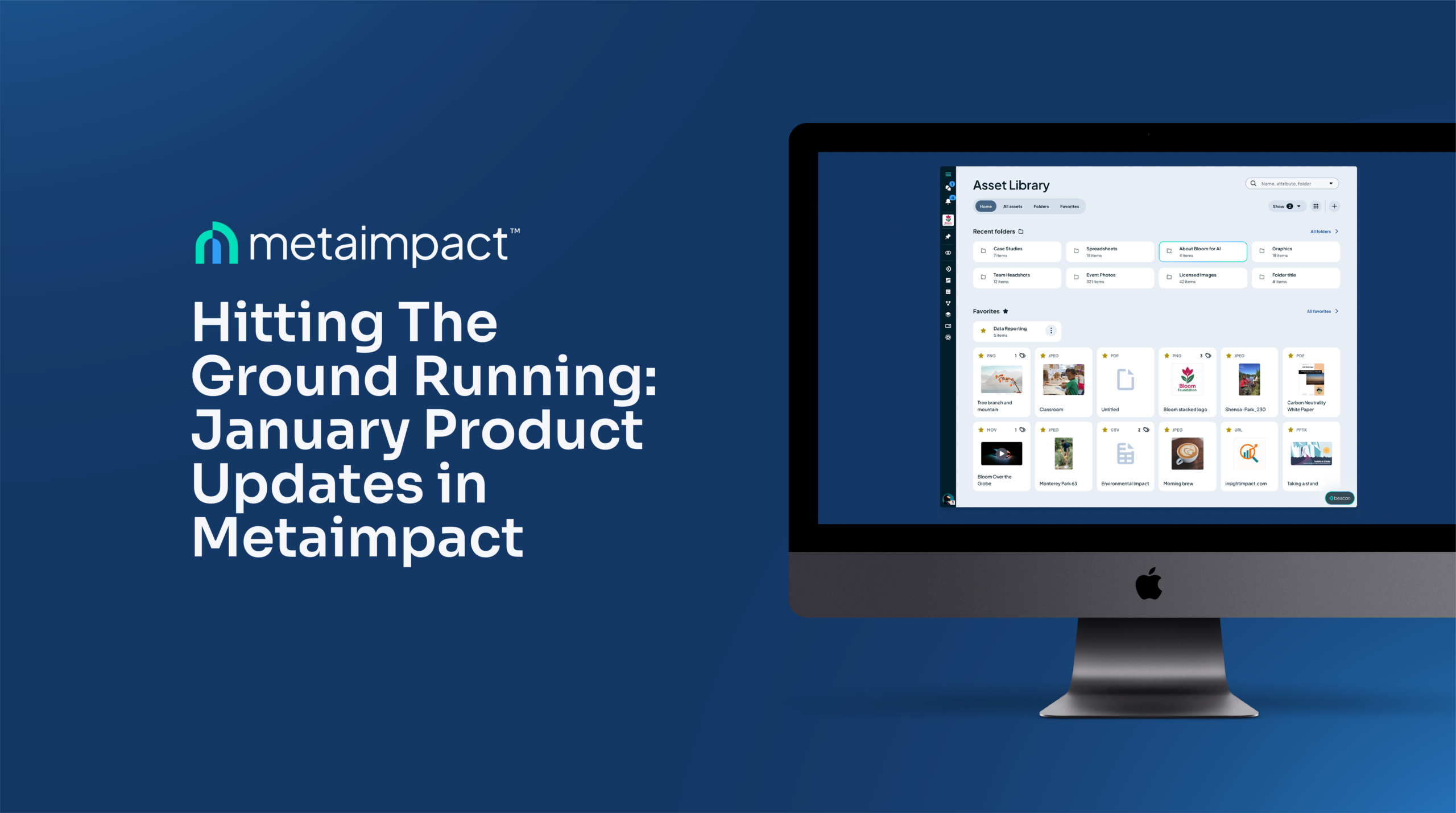
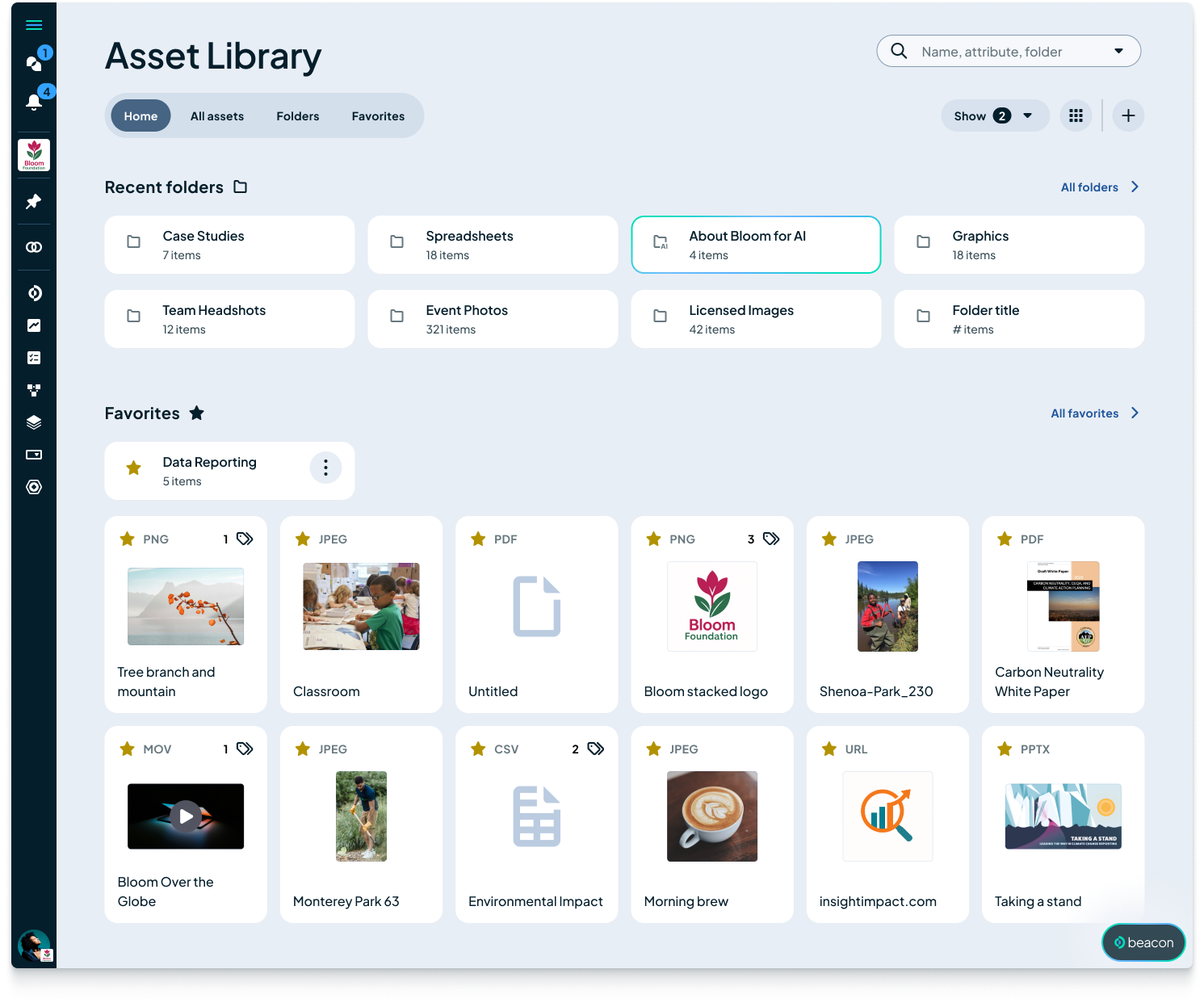
We’ve completely reimagined how content lives in Metaimpact. Gone are the days of static, one-off file attachments.
The new Asset Library transforms your files, media, and curated website URLs into “first-class objects.” This means every document you upload becomes a reusable resource that follows Metaimpact’s secure permission model.
• Organized Your Way: Create a structured library for your organization with custom folders and “favorites” for quick access.
• Bulk Uploads: Easily migrate critical content into the platform at scale.
• Old Assets Migrated: Any asset you’ve uploaded in the past has automatically been loaded into your Asset library, so it can now be reused across the platform going forward. No work required on your part.
• Automatic Previews: Thumbnails are generated automatically so you can find what you need at a glance.
💬 Reminder: Messages is Officially Live (GA)
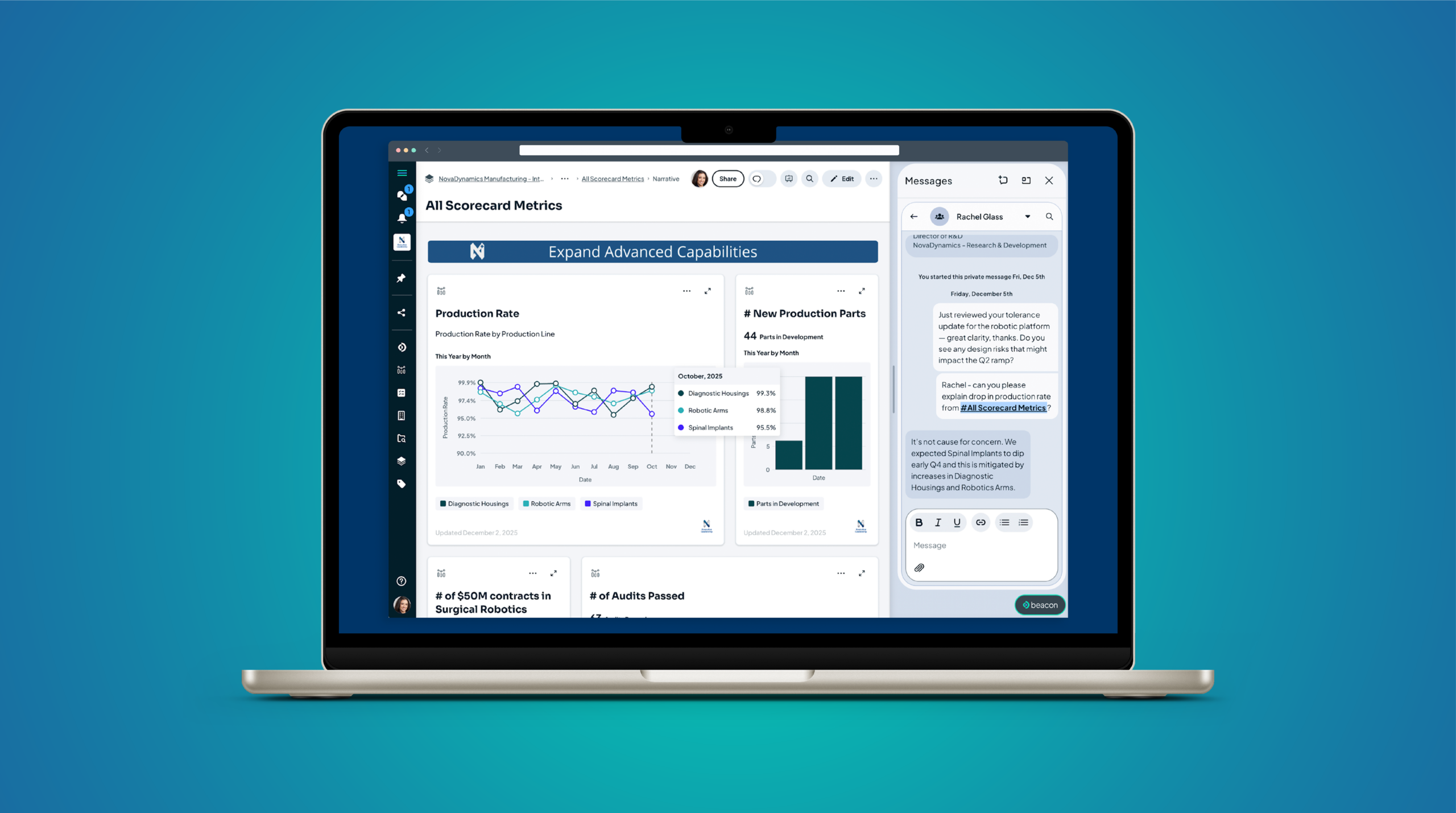
In December, we officially launched Messages to all users, bringing real-time and asynchronous communication directly into the context of your work.
Stop losing context in disconnected email threads. With Messages, you can use #-mentions to pull dashboards, metrics, and specific initiatives directly into the chat. Whether you’re using Private Messages for a quick check-in or Message Channels for multi-org project coordination, your conversations finally live where the work gets done.
✏️ Introducing the Support & Learning Center
We want to ensure every leader in your network can navigate Metaimpact with confidence. To do that, we’ve launched a revamped Help & Feedback Center directly in the app.
• Self-Guided Learning: Access our comprehensive Metaimpact Docs with a single click—no extra logins required.
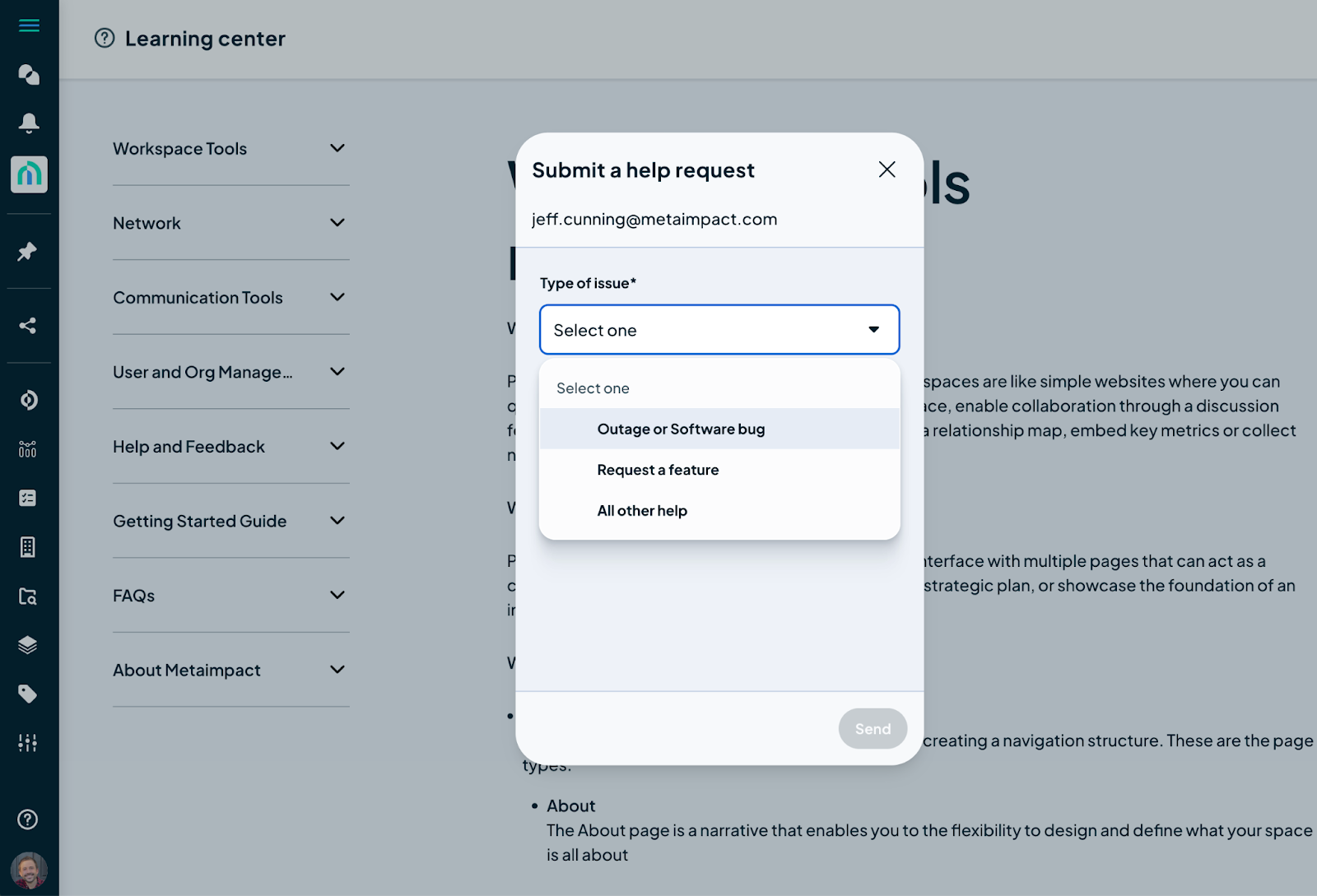
• Streamlined Help Requests: Need a human? Submit a bug report or feature request directly from the UI, and even include file attachments for better context.
🧬 Small Feature, Big Impact: Ability to Reference a Space
For our advanced builders, you now have more flexibility when nesting work.
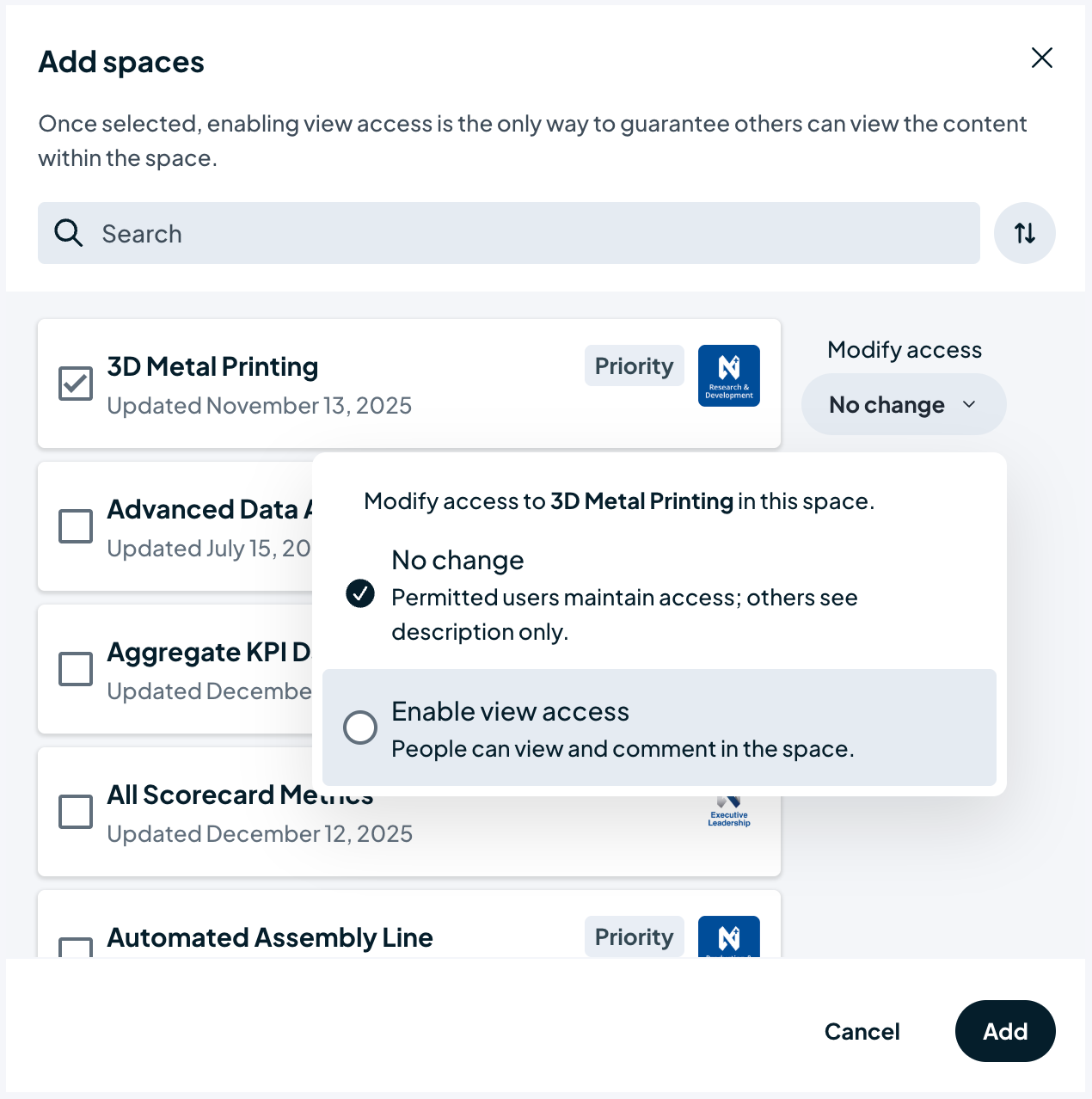
In the past, adding a “child” space into a “parent” space automatically granted everyone in the parent space access. Now, you can Reference a Space—linking to another workspace without modifying its existing permissions. This allows you to visually connect different initiatives without compromising granular access controls.
Ready to see these updates in action?
Log in to your account today to explore the new Asset Library or send a Message.